

You've signed up for help, received your welcome information, and now you're staring at a login screen wondering what happens next. That's a common moment. For many people, the words credit repair login sound simple, but the main question is bigger: once you're inside the portal, how do you use it to support a stronger credit profile and move closer to goals like buying a home, refinancing, renting a better place, or qualifying for better financing?
A good client portal should reduce confusion, not add to it. It should help you stay organized, see what's happening with your file, respond quickly when documents are needed, and understand which parts of your credit profile deserve the most attention. That matters because credit repair is not a shortcut or a guessing game. It's a structured process built around report review, documentation, disputes, verification, and better ongoing habits.
Many readers looking for a credit repair login page are not just trying to sign in. They're trying to answer practical questions. Is my account active? Did my dispute update? Where do I upload documents? What should I focus on if I'm preparing for an FHA, VA, USDA, or conventional mortgage? Those are the questions this guide is built to answer in plain English.
Table of Contents
- Your Client Portal The Hub of Your Credit Restoration Journey
- How to Access Your Superior Credit Repair Client Portal
- Navigating Your Account Dashboard for the First Time
- Common Login Issues and Account Recovery Solutions
- Using Your Portal to Build a Lender-Ready Credit Profile
- Security Best Practices for Protecting Your Account
- Frequently Asked Questions About Your Client Portal
Your Client Portal The Hub of Your Credit Restoration Journey
A client portal becomes important the first time you need a clear answer. Maybe you want to know whether a collection account is still under review. Maybe you need to upload an ID document. Maybe you're trying to understand whether an old late payment is being challenged or whether you should focus more on paying down card balances before applying for a mortgage. A strong portal brings those moving parts into one secure place.
This isn't a niche service environment. The U.S. credit repair industry was worth $6.6 billion in 2023, with 43,810 credit repair businesses operating that year, according to ConsumerAffairs credit repair industry statistics. In a market this large, secure portals have become a normal part of transparent service delivery because clients need a place to track progress, share documents, and review account activity over time.
Why the portal matters day to day
Think of the portal as your working file, not just your sign-in page. Instead of searching old emails or trying to remember what was discussed during onboarding, you can return to one location to review updates and next actions.
That's especially useful when your financial goal has a deadline. Homebuyers often need clarity before they talk with a lender again. Renters preparing to buy may want to monitor whether disputed information has changed, whether balances still look high, and whether there are action items that could affect a future application.
Practical rule: The portal is most useful when you treat it as an active workspace, not a page you visit only when something goes wrong.
What clients usually need first
Individuals logging in for the first time want the same basic things:
- Account visibility: They want to confirm their file is open and active.
- Progress tracking: They want to see whether any disputes or reviews are in motion.
- Secure communication: They want a safer option than emailing sensitive records.
- Financial context: They want to understand how portal activity connects to long-term goals like mortgage readiness.
If you're comparing service options in your area, these Alabama credit repair pricing insights can also help you understand how portal access fits into an ongoing service model.
How to Access Your Superior Credit Repair Client Portal
The login process should feel simple. If it doesn't, most of the confusion usually comes from one of three things: using the wrong webpage, entering credentials differently than they were set up during onboarding, or expecting the portal to look like a public marketing page. A client portal is usually separate from the main informational pages on a website.
What to look for on the website
Start on the official company website and look for the Client Login area. It may appear in the top navigation, header, menu, or a clearly marked portal button. Once you open that page, enter the username and password provided during onboarding or account setup.
Use the exact email address or username format you were given. If your onboarding message used a specific email address for access, don't substitute a different one unless you've updated your account details. Password issues often happen because a browser auto-fills an older password or adds a space at the beginning or end.
A calm, careful login routine helps:
- Use the official website first: Don't rely on old bookmarks if the company has updated its portal.
- Enter credentials manually if needed: Auto-fill tools are convenient, but they sometimes insert outdated information.
- Check capitalization: Passwords and usernames may be case-sensitive.
- Pause before repeated attempts: Too many failed tries can trigger a temporary lock or verification prompt.
What you should see after login
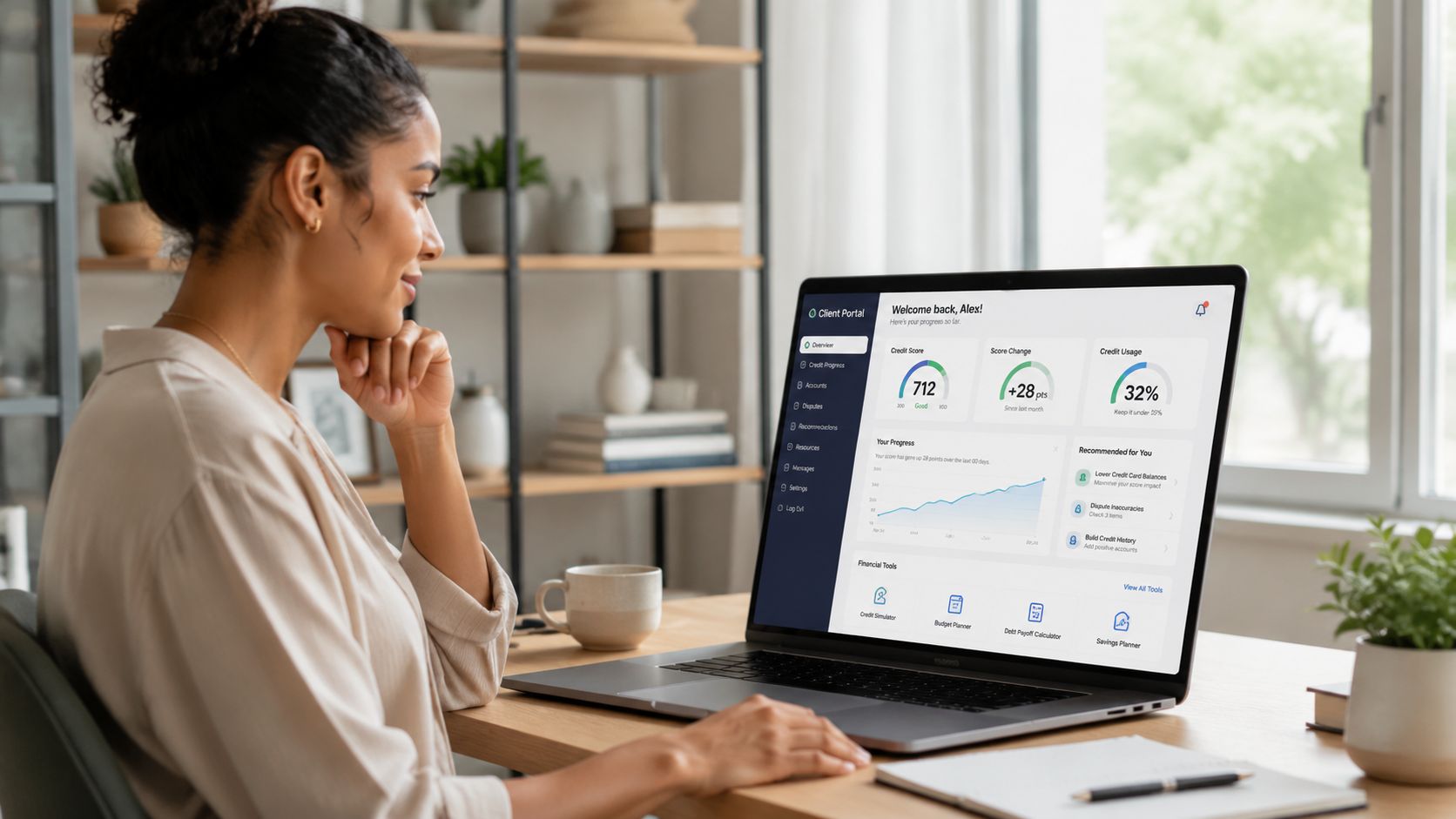
Once you're in, you should expect a dashboard rather than a blank account screen. Most portals show a summary view first. That can include messages, current file status, document notices, billing or subscription details, and areas tied to your dispute or credit restoration workflow.
What matters most at this stage is orientation. You don't need to understand everything in the first minute. Look for the main menu, your message center, your task list, and any status labels tied to active work on your file.
If you're a first-time homebuyer or a borrower trying to improve your profile before another lender review, your first visit is a good time to make a simple checklist:
| First login priority | Why it matters |
|---|---|
| Confirm contact details | Updates and verification prompts need to reach you |
| Review open tasks | Missing documents can slow progress |
| Check your messages | You may already have a note waiting |
| Locate your report or summary area | That's where you'll begin connecting portal activity to your credit goals |
Some clients expect instant changes after they log in. That's not how the process works. Credit repair is documentation-based, and updates depend on review cycles, responses, and your own current credit behavior.
Navigating Your Account Dashboard for the First Time
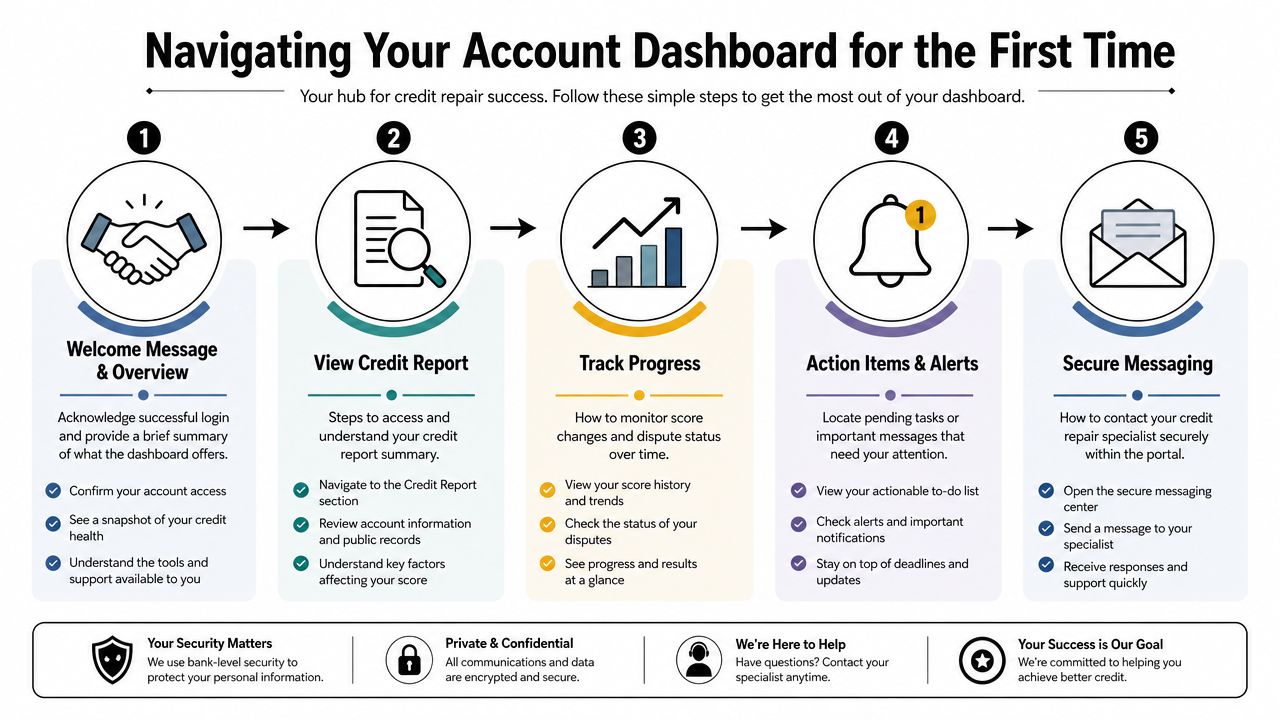
The dashboard is where the portal becomes useful. Once you stop thinking of it as a password screen and start treating it as your credit workspace, the layout makes more sense. Each section usually exists to answer a practical question: what's being reviewed, what still needs your attention, and what information supports the next step.
The areas that deserve your attention first
Most dashboards include a few core tools. You don't need to master every feature at once. Focus on the areas that directly affect progress and accuracy.
- Dispute or status tracker: Here, you follow the movement of items being reviewed or challenged. It helps you see whether something is pending, updated, or waiting on more information.
- Document upload center: Use this for records that support identity verification, account clarification, or dispute documentation. A secure upload tool is safer and easier to manage than scattered email attachments.
- Message center: If you have a question about an account, due date, collection, or tradeline detail, the message area creates a written record of the conversation.
- Task or alerts area: This section often shows the next thing you need to do, such as reviewing a note, confirming information, or uploading a requested file.
- Education resources: Some portals include explainers on credit reports, utilization, collections, and rebuilding steps.
A portal is most valuable when it reduces guesswork. Instead of wondering what happens after signup, you can see where the file stands and what information still needs attention.
How the dashboard supports accurate disputes
An important part of the workflow is the report review itself. A line-by-line audit of personal information and tradelines helps identify inconsistencies in names, addresses, dates of birth, balances, dates last active, open dates, high-credit amounts, and last-payment fields, as described in this credit report audit walkthrough. That's why a well-designed portal gives you and your specialist a place to track notes before bureau-specific challenges are drafted.
The strongest dispute process starts with a specific inaccuracy tied to a specific field, not a vague complaint that something “looks wrong.”
That idea matters because many clients focus only on the negative label, such as collection or charge-off, and miss the supporting details. If the balance is wrong, the date is wrong, or the account history is inconsistent across reports, those details matter. Your dashboard helps organize those observations so they aren't lost.
Here's a practical way to review your dashboard like a homebuyer preparing for underwriting:
- Open your report summary or tradeline view.
- Compare personal information first. Names, addresses, and identifying details should be accurate.
- Review each account line by line. Look for date issues, balance issues, or payment-history entries that don't match your records.
- Save notes inside the portal or prepare them for secure messaging.
- Keep a separate list of accounts that could affect lender perception, especially recent late payments, collections, and high revolving balances.
If you need more background on mortgage-sensitive reporting, this guide on the effects of late payments on credit score is useful context while you review your file.
Common Login Issues and Account Recovery Solutions
Even a straightforward portal can produce login issues. Usually, the problem isn't serious. It's often a forgotten password, a browser storing old credentials, or a verification prompt going to the wrong phone number or email address. The key is to troubleshoot carefully instead of trying random fixes.
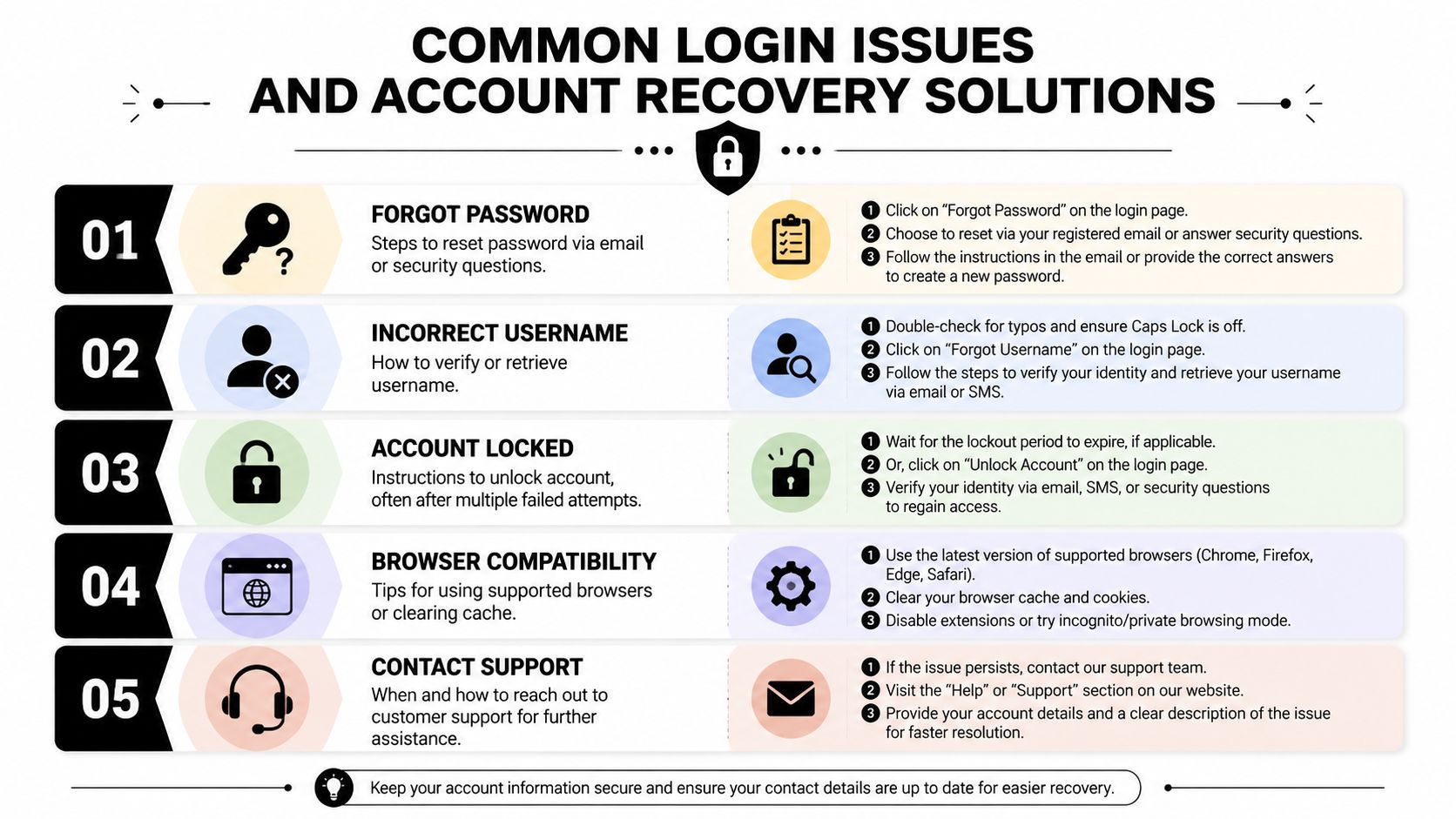
Industry analysis shows that users frequently look for help with portal access, password recovery, and verification features, and newer portals are adding tools like SMS verification to support secure self-serve account management, as shown on the member portal example page.
The most common access problems
If your credit repair login isn't working, start with the simplest explanation first.
- Forgotten password: Use the portal's password reset link instead of guessing repeatedly. Reset instructions usually arrive by email, and some systems may ask you to confirm your identity.
- Username not recognized: Check whether the portal uses your email address or a separate username created during setup.
- Temporary account lock: This can happen after multiple failed attempts. Wait for the reactivation period if instructed, or use the account recovery flow.
- Verification code issues: If you don't receive an SMS or email code, confirm that your contact information is still current.
- Browser problems: An old browser session, cached page, or stored password can interfere with login.
A short troubleshooting checklist often solves the issue faster than a support request:
| Problem | First thing to try |
|---|---|
| Password rejected | Use the reset link |
| Username rejected | Re-enter the original onboarding email |
| Verification code missing | Check spam folder or mobile signal |
| Login page looping | Refresh or try another browser |
| Saved password failing | Remove auto-fill entry and type it manually |
When to pause and contact support
There are times when self-service isn't enough. Contact support if your password reset doesn't arrive, your account appears inactive after a successful login, or your verification information is outdated and you can't complete recovery on your own.
Important: If the portal looks unfamiliar, asks for unexpected information, or appears through a suspicious email link, stop before entering credentials.
That pause protects both your account and your identity. Always return to the official website directly when in doubt.
Using Your Portal to Build a Lender-Ready Credit Profile
The most helpful use of a credit repair login is not checking whether “something happened.” It's using the portal to understand whether your file is becoming more lender-ready. That shift in mindset matters for first-time homebuyers, FHA and VA applicants, denied borrowers planning to reapply, and renters who want to buy within the next stage of life.
What mortgage-focused users should monitor
Mortgage readiness is broader than one score update. Lenders often look for accurate reporting, stable payment behavior, manageable revolving balances, and fewer unresolved issues that raise questions during underwriting.
From a scoring perspective, payment history accounts for 35% of a FICO Score, and credit utilization at 30% or higher on an individual card or overall can suppress scores, according to Experian's credit repair guidance. That makes your portal useful for two practical reasons. First, you can review whether payment history is being reported accurately. Second, you can track the accounts that need balance reduction before a mortgage application.
A useful lender-readiness review inside your portal often includes:
- Recent late payments: Verify whether they're accurate, and note which ones may still affect lender confidence.
- Credit card balances: Watch both per-card utilization and your overall revolving usage.
- Collections and charge-offs: Follow their status carefully because unresolved derogatory accounts can affect approval strategy.
- File stability: Monitor whether account details are consistent and whether your personal information is reported correctly.
How to turn portal activity into better credit habits
The portal should guide decisions, not just display information. If you log in and see high balances, that's a cue to focus on utilization. If you see a possible reporting error, that's a cue to gather records and communicate clearly. If you see no new dispute update, that doesn't mean nothing is happening. It may mean the file is still within the response cycle.
For homebuyers, one of the best uses of the dashboard is building a written action list tied to underwriting concerns. Keep it simple:
- Which accounts must be reviewed for accuracy?
- Which balances need to come down?
- Which payment due dates need autopay or calendar reminders?
- Which collections, charge-offs, or misleading entries deserve closer documentation?
That process becomes even more helpful when you're trying to prepare for FHA, VA, USDA, or conventional financing, because each application conversation tends to go better when your file is cleaner, more stable, and easier to explain.
A portal can't make a lender approve you. It can help you stay organized enough to present a stronger, more accurate credit profile.
If you want a broader view of rebuilding strategy beyond portal tracking, these Superior Credit Repair advice resources offer more education around cleaning up credit history in a practical way.
Security Best Practices for Protecting Your Account
Your client portal contains sensitive personal and financial information. Treat it like a banking login, not a casual website account. A few steady habits do a lot to protect your file.
Simple habits that protect sensitive information
Use a strong, unique password for the portal. Don't reuse the same password you use for shopping sites or social media. If the portal offers multi-step verification, use it.
Avoid sharing your login with anyone, even a family member helping you with paperwork. If someone else needs to participate in your financial planning, it's better to discuss information together than to hand over direct access.
Watch for phishing attempts. If an email claims there is an urgent account issue and asks you to click a login link, slow down. Check the sender carefully, and when in doubt, go directly to the official website instead of using the email link.
A few habits are worth making routine:
- Log in from trusted devices: Public computers and public Wi-Fi create unnecessary risk.
- Sign out after each session: This matters if you share a device.
- Review messages carefully: Unexpected requests for documents should be verified.
- Act quickly after suspected fraud: If your personal data may have been exposed, this guide on credit repair for identity theft victims may help you think through next steps.
Good portal security supports the larger goal. You're not only protecting a password. You're protecting the financial record tied to your path toward homeownership and other borrowing decisions.
Superior Credit Repair can review your credit report, help identify inaccurate or questionable items, and explain a step-by-step plan for improving your credit profile. You can request a free credit analysis or consultation to better understand your options.
Frequently Asked Questions About Your Client Portal
How often is information in my portal updated
Update timing depends on the type of activity. Messages, uploads, and task notices may appear quickly. Dispute-related changes can take longer because the process depends on documentation, review, and responses from the parties involved. If you don't see an immediate change, that doesn't necessarily mean your file is inactive.
Can I use the client portal on my phone
In many cases, yes. Most modern portals are designed to work on mobile browsers, and some functions may feel easier on a desktop, especially if you're reviewing account details closely or uploading several documents. A phone is often fine for checking messages, alerts, and status updates.
What should I do if a disputed item is verified and stays on my report
Start by reviewing whether the information appears accurate and complete. If you still believe there is a specific inaccuracy, gather supporting documentation and communicate clearly through the portal. If the item is accurate, the focus usually shifts from dispute activity to rebuilding strategy and payment behavior.
What if I forgot whether I used my email address or a username
Check your onboarding emails or welcome documents first. Those usually show the original setup method. If you still can't confirm it, use the account recovery tools or contact support rather than guessing repeatedly.
Where can I find more general answers about credit concerns
If you want broader educational guidance beyond portal access, these Strengthening credit FAQs may answer common questions about rebuilding and credit improvement.
Superior Credit Repair can help you review your credit report, identify inaccurate, outdated, unverifiable, or misleading items, and understand the practical steps that may strengthen your credit profile over time. If you're preparing for homeownership, rebuilding after hardship, or trying to become more lender-ready, you can learn more about your options through Superior Credit Repair.
Was this guide helpful?
Superior Credit Repair Online provides educational credit guidance for individuals and families preparing for major financial goals like buying a home, applying for a mortgage, refinancing, or rebuilding after credit challenges.
If this information helped you better understand your credit report or your next steps, we would appreciate your honest feedback. You are welcome to share your experience with Superior Credit Repair on our Google Business Profile.